From “Plan Your WordPress Blog Before You Build” to “WordPress Final Pre-Launch Checks”, these 18 checklists take you through Blogging one step at a time, in the order that actually works, rewritten for 2026. Join IM Checklist AI today and you get them with every other volume in the library.

🔒 Secure checkout · Instant access
Or pay yearly ($97) or once for lifetime ($197)
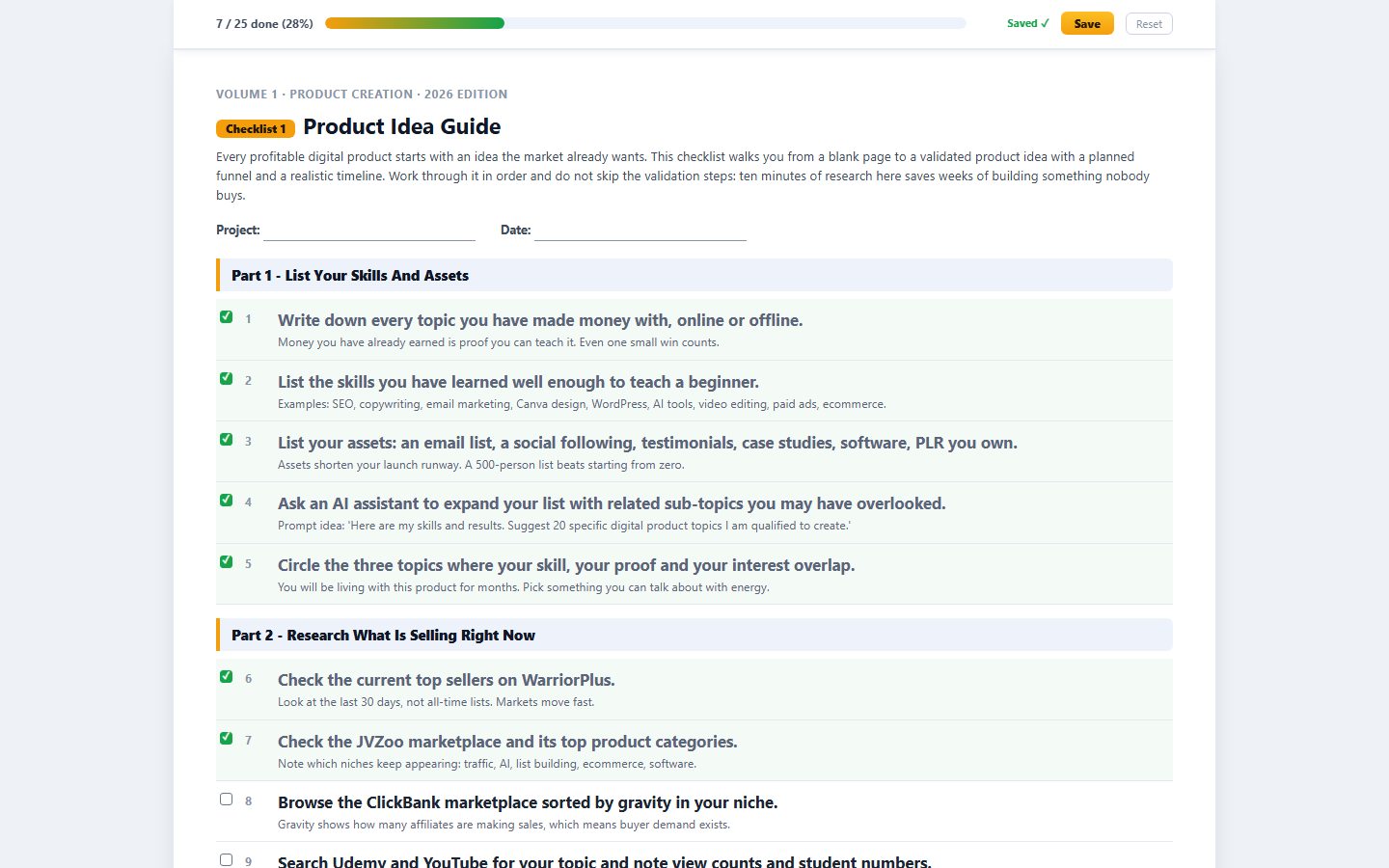
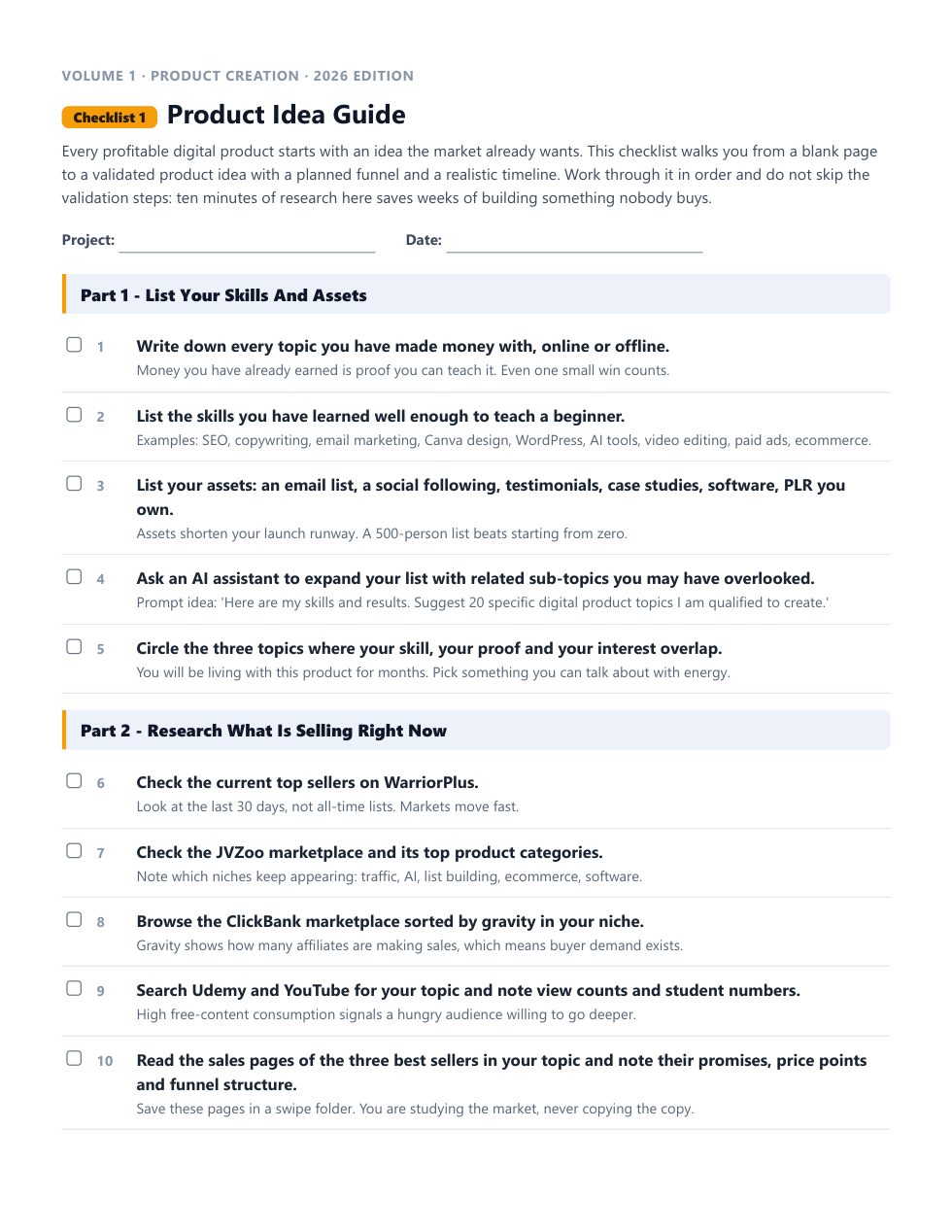
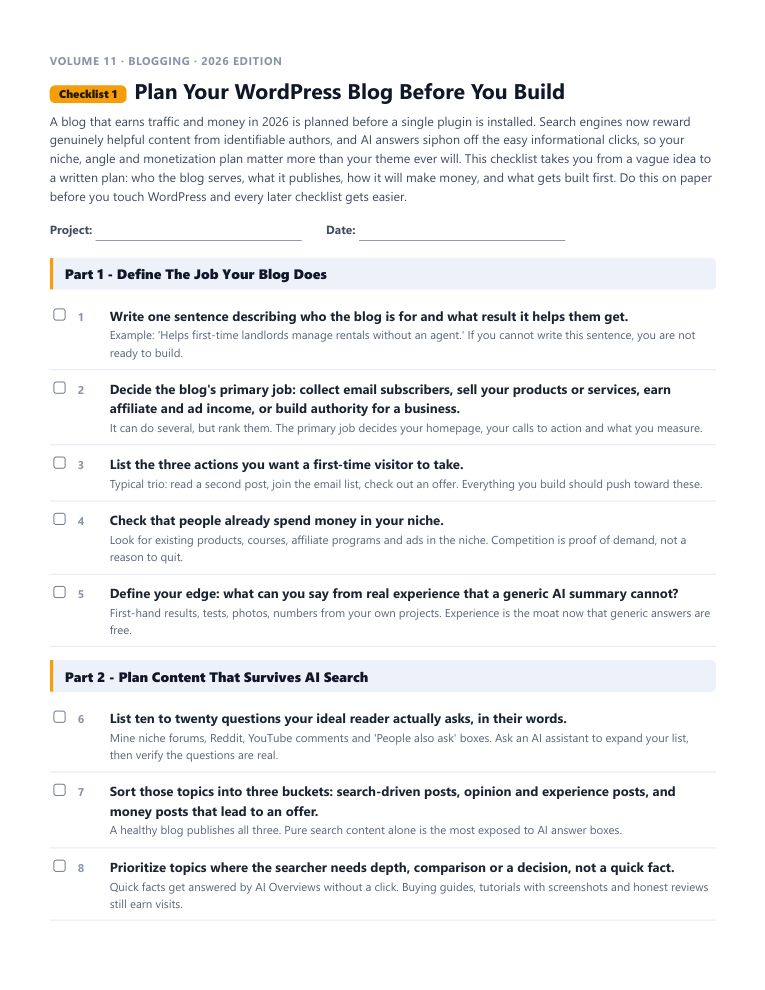
This is the real start of “Plan Your WordPress Blog Before You Build”, word for word. Tick the boxes and watch the progress bar move.
Every checklist works the same way: a short brief, the steps in the order that actually works, a practical tip under every step, and pro tips at the end.
18 checklists in this volume. 1,556 in the library. No forty-minute videos to decode.
Each one is a complete, follow-along process. Open it, work through it, tick it off. Every checklist comes as an interactive checklist, a printable PDF and an editable Word document.
A blog that earns traffic and money in 2026 is planned before a single plugin is installed. Search engines now reward genuinely helpful content from identifiable authors, and AI answers siphon off the easy informational clicks, so your niche, angle and monetization plan matter more than your theme ever will.
Installing WordPress in 2026 takes minutes, but the first hour after installation decides how secure and maintainable the site will be for years.
Your theme controls how fast the site loads, how it looks on a phone, and how easy it is to change your design later. In 2026 the big decision is between a modern block theme, which you edit visually in the Site Editor, and a classic theme paired with the Customizer.
Plugins are how WordPress does everything from SEO to backups to selling products, and they are also the top cause of hacked, slow and broken sites.
Styling in 2026 happens in two places depending on your theme: block themes use the Site Editor under Appearance, Editor, while classic themes still use the Customizer.
Navigation decides whether a visitor reads one post or five, and whether search engines understand how your site fits together. In 2026 the mechanics depend on your theme: block themes build menus with the Navigation block in the Site Editor, while classic themes still use the Menus screen and block-based widget areas.
You cannot grow what you cannot see. Modern WordPress tracking rests on two free Google tools: Google Analytics 4 for what visitors do on your site, and Google Search Console for how they found you in search.
Your first post sets the working pattern for every post after it, so this checklist teaches the full modern workflow, not just which buttons to click.
By default WordPress shows your latest posts on the front page, which suits a pure magazine blog but wastes the most valuable page on a blog that sells anything.
Blog SEO changed more in the last three years than in the previous ten. Google's helpful content standards demote generic filler, AI Overviews answer easy questions before anyone clicks, and demonstrated first-hand experience separates pages that rank from pages that rot.
This is the technical health pass that turns a working blog into a fast, crawlable, trustworthy one. Internal links spread authority and keep readers on the site; speed and mobile experience are ranking factors and conversion factors at once; schema markup helps search engines and AI systems understand exactly what each page is.
Guest posting works in both directions and both still matter in 2026. Writing for established blogs in your niche earns you readers, relationships and credibility signals; accepting guest contributions fills your calendar with fresh perspectives, if you screen hard enough to keep AI-generated spam out.
Comments are the cheapest community feature a blog has, and the cheapest spam target too. Engaged comment sections add fresh perspectives, real reader language you can mine for content ideas, and signals of a living site; unmoderated ones fill with bot spam within weeks and make everything look abandoned.
WordPress powers a huge share of the web, which makes every WordPress site a target for automated attacks from the day it goes live, regardless of size.
Social media's job for a blog changed: platforms now keep users on-platform and throttle outbound links, so the winning play is no longer scattering share buttons everywhere and hoping.
Blog monetization in 2026 is a stack, not a single stream: affiliate income, display ads, your email list, and eventually your own products or services, layered in that rough order of effort.
WordPress sends email constantly: password resets, contact form messages, comment notifications, order receipts. By default it sends them through the web server's basic mail function, which mailbox providers now treat as junk, so those emails silently vanish.
This is the master pass before you call the blog launched, and it is worth repeating after any major redesign. Every item here is a small thing that becomes a big thing in public: a noindex checkbox left on, a contact form that goes nowhere, a missing privacy policy, a 404 page that dead-ends readers.
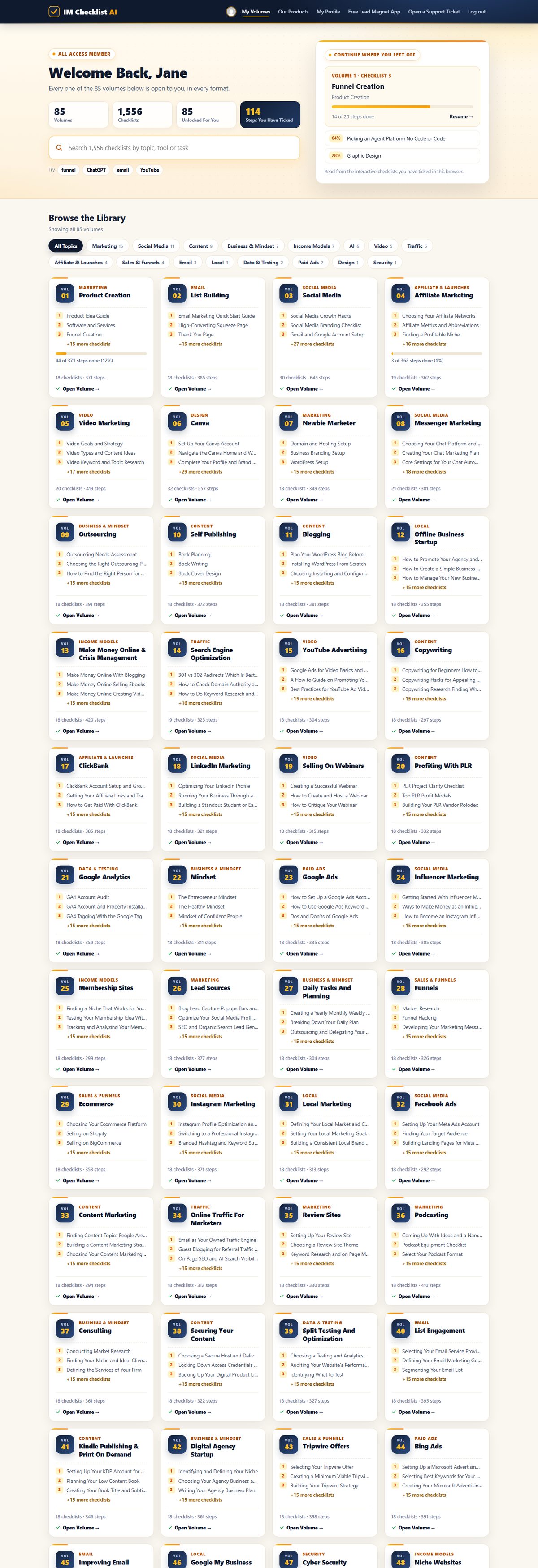
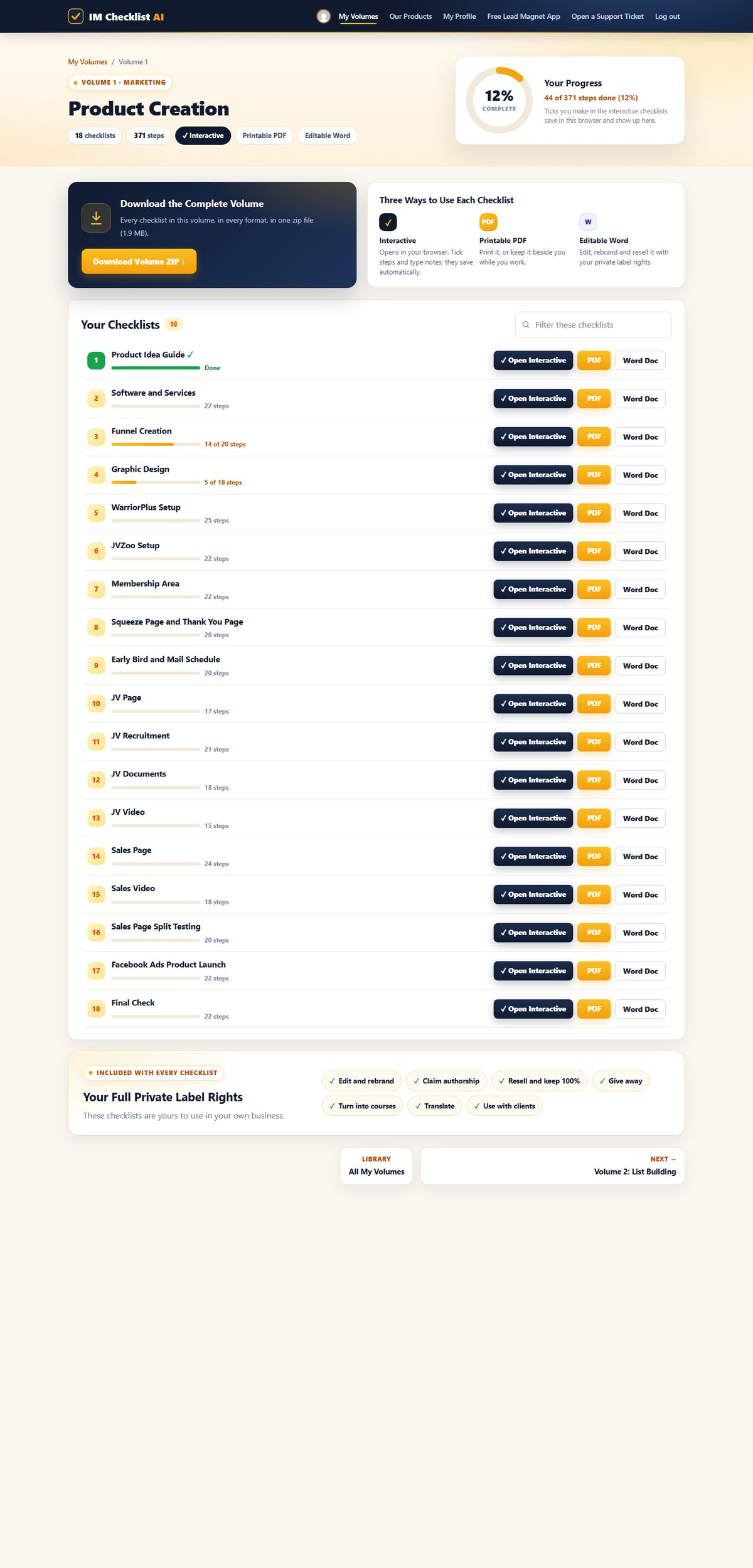
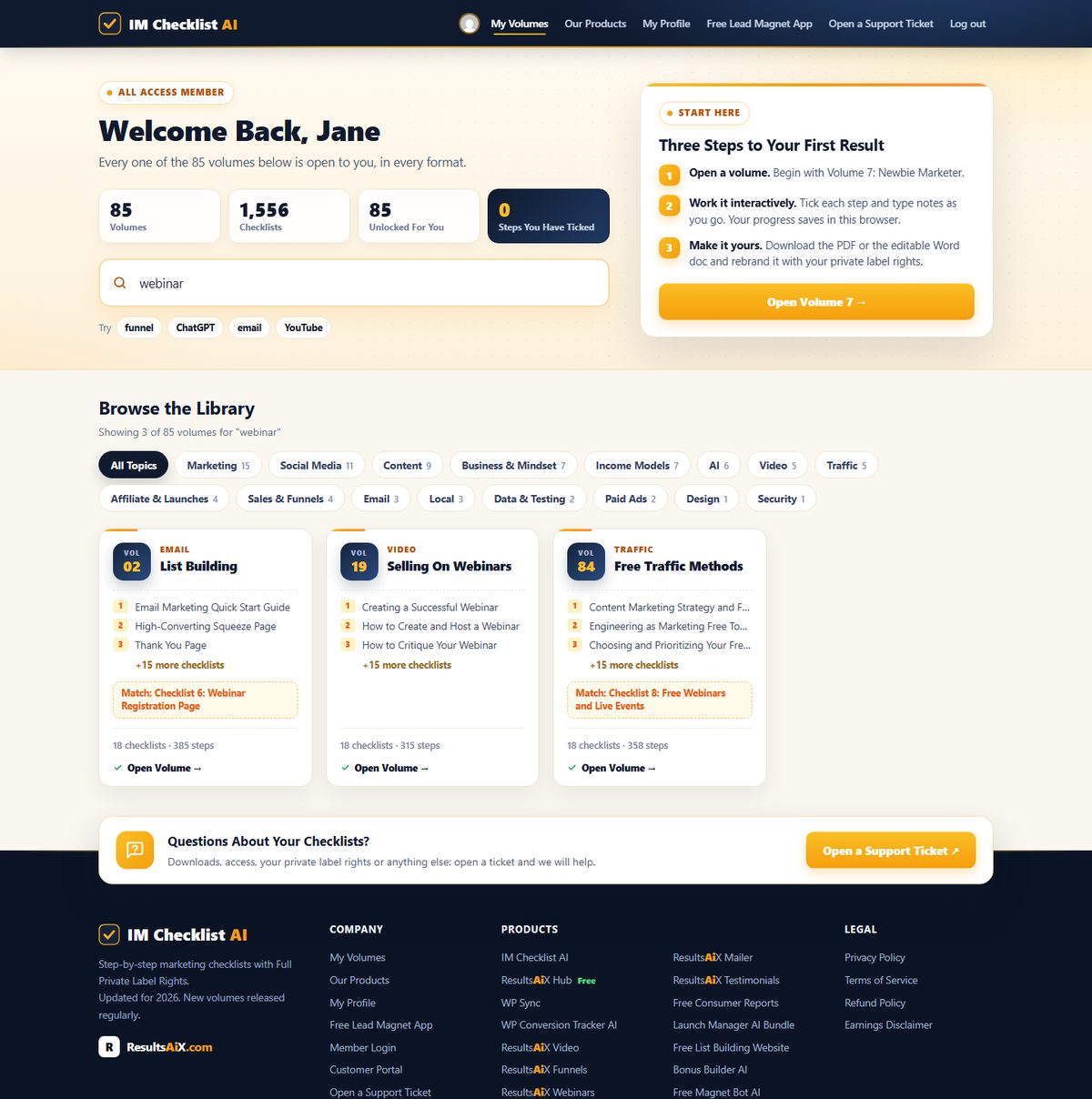
1,556 checklists. 85 volumes. Fully rebuilt for 2026. This is the brand new members area, exactly as you'll see it. Hover any screen to scroll it.
Every volume, one search box. All 85 volumes in one place. Search all 1,556 checklists by topic, tool or task, and pick up exactly where you left off.

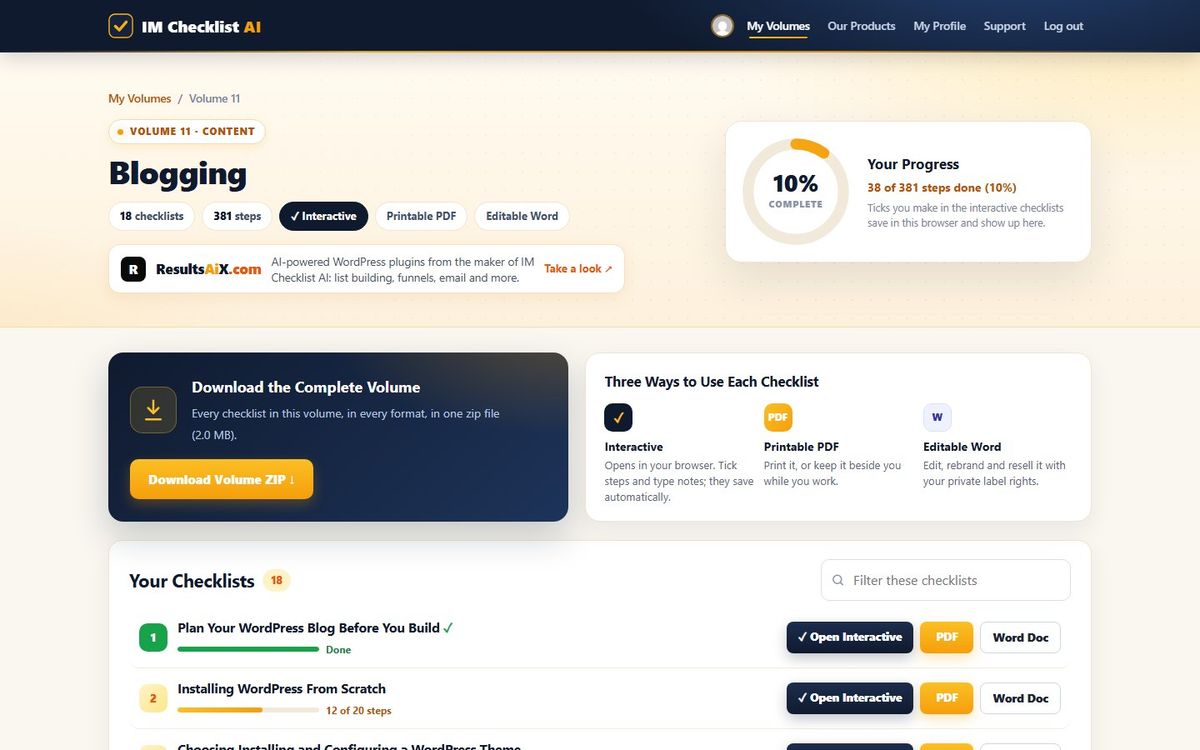
Your progress on every checklist. Each volume shows every checklist with your progress, the interactive, PDF and Word versions side by side, and the whole volume as one zip download.

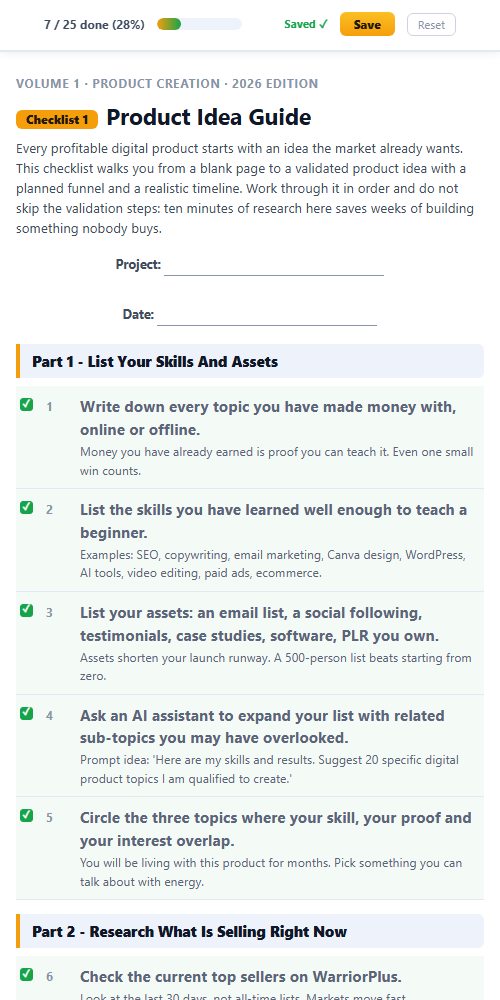
Tick it off, it saves itself. Open any checklist in your browser, tick each step and type notes as you go. The progress bar fills up and your place is saved for next time.

Find the right checklist in seconds. Type any task, tool or topic and every matching volume appears instantly, across all 1,556 checklists.

Print it, pin it, tick it. Every checklist comes as a clean printable PDF and an editable Word document you can rebrand.

Works everywhere. The members area and every interactive checklist work on any phone, tablet or computer.

This isn't a collection of generic templates. It's a complete marketing operating system covering every task worth doing in your online business.
Product creation. List building. Paid ads. Social media. AI tools. YouTube. Affiliate marketing. Freelancing. PLR. Ecommerce. SEO. Copywriting. Funnels. Membership sites. All of it, step by step, ready to follow.
And it doesn't stop growing. A new volume lands every month, covering the latest strategies and tools, and it's already yours the day it drops.
Product creation, list building, affiliate marketing, YouTube, SEO, funnels, webinars, AI and much more. Every volume works the same way, with full private label rights. Search the library below, or hover any volume to see what’s inside.
Nothing matches that search. Try a broader word, like "traffic" or "social".
All 85 volumes. All 1,556 checklists. All yours today.
$3 for 7 days, then $17.95 a month. Cancel anytime.
Every checklist comes as an editable Word document with full private label rights. Rebrand it, sell it as your own product, give it away, or use it with clients. With the membership that is not just the 18 Blogging checklists. It is all 1,556 checklists in all 85 volumes.

Every checklist downloads as a real, editable Word document. No locked PDFs, no special software.
Change the title, add your branding, add or remove steps. As far as your customers are concerned, you wrote it.
Sell it on your own site or a marketplace, use it as a lead magnet, or hand it to a client. Every dollar is yours.
Most products end where the download finishes. This one starts there. You don't just get to use these checklists. You get to own them.
List them as your own product tomorrow. Every dollar is yours. No split. No royalty. 100% profit.
Your name. Your logo. Your brand. Nobody sees "IM Checklist" anywhere unless you want them to.
You wrote these, as far as your customers are concerned. Put your name on the cover and publish them under your own business.
Need a lead magnet? This is the fastest one you'll ever "write". Trade it for an email address and start building your list today.
Every checklist is a real Word doc. Open it. Change it. Add your own steps or remove the ones you don't need.
One checklist becomes a blog post, an email series, a video script, a client deliverable or a content calendar.
Rebrand one checklist and sell it once for $17, and your first month is paid. Sell a bundle of 18 checklists for $47 or $97, or use them to land a client, and the whole year is covered with room to spare.
“IM Checklists allow you to get on with making money without the worry, fear and weight on your shoulders that you may have forgotten something. EVERYTHING is there in a clear and easy to consume format that can be checked off in seconds. A must have for all serious marketers.”
“These checklists have been a great asset in helping me set up my first launch, ensuring that I didn't miss any steps under tight time constraints. I highly recommend these checklists.”
“As a customer, just wanted to say thanks for creating IM Checklist. It's all in the worry of what I may forget. You have removed that fear. Many thanks.”
“The ability for someone to follow a proven method step by step like this is tantamount to their success with marketing.”
Every plan is the same full membership. Only how you pay changes.
for 7 days, then $17.95 a month
a year
one payment, yours for good
🔒 Secure checkout · Instant access · 14-day money-back guarantee on every plan
Work through the checklists and use them in your business. If they are not worth far more than you paid, open a support ticket within 14 days and every cent comes back. No form, no questions.
Every volume in IM Checklist AI, 85 of them with 1,556 checklists, including all 18 Blogging checklists. Each one comes as an interactive checklist that saves your progress, a printable PDF and an editable Word document, and a new volume is added every month.
You pay $3 today and get every volume for 7 days. After that it is $17.95 a month. Cancel anytime, including during the trial.
Every volume now comes with the membership, so for the same $3 trial you get this one and all the others.
No. Every checklist starts with a short brief, then tells you exactly what to do and in what order, with a practical tip under every step.
Yes. The whole library has been rewritten for 2026, and new volumes are added every month.
Yes. Full private label rights cover every checklist in every volume: edit them, rebrand them, claim authorship, resell them and keep 100%, give them away, or use them with clients.
Then every volume, including this one, is already in your members area at no extra cost. Log in and it is waiting for you.
Nothing inside the membership. Monthly, yearly and lifetime all unlock every volume, every checklist, full private label rights and every new volume. Monthly starts at $3 for 7 days, then $17.95 a month. Yearly is $97 a year. Lifetime is $197 once, with no renewals ever.
Yes. Buy the yearly or lifetime plan, then cancel your monthly subscription in Manage My Subscription, or open a support ticket and we will cancel it for you.
Instantly. Your login arrives by email with a one-click button, and every volume is waiting in the members area.
85 volumes, 1,556 checklists, full private label rights and a new volume every month. $3 for 7 days, then $17.95 a month. Cancel anytime.
Or pay yearly ($97) or once for lifetime ($197)