No theory. No 40-hour course to sit through. Just the steps, in order, with the reasoning behind each one, so you stop guessing and start shipping. Your $3 trial unlocks this volume plus all 84 others: 1,536 checklists, ready to work from today.
Full access to all 84 volumes for 7 days, then $17.95 per month. Cancel anytime.
Dear friend,
I have spent well over a decade in online marketing, and most of it has been spent doing the same unglamorous thing on repeat: watching a business struggle, finding the one broken process underneath it, and fixing that one thing.
Almost every time, it comes down to the same root cause: no real system. Just guesswork dressed up as a strategy.
The businesses that turn it around are not the ones with more hustle. They are the ones who finally get a process they can follow the exact same way every single time, and get the exact same result.
That is the whole idea behind this page. Building that process yourself is slow. Months of testing, half of it wasted. I already did that part. This hands it to you finished.
If any of that sounds familiar, the problem was never you. It was never having a process specific enough to just follow.
I am not describing theory here. These are the processes I run my own business on.
Whatever I am using in my own business right now goes into IM Checklist AI. Not the version I used three years ago. The current one.
Think of it as looking over my shoulder while I work, except every step is written down for you to follow at your own pace.
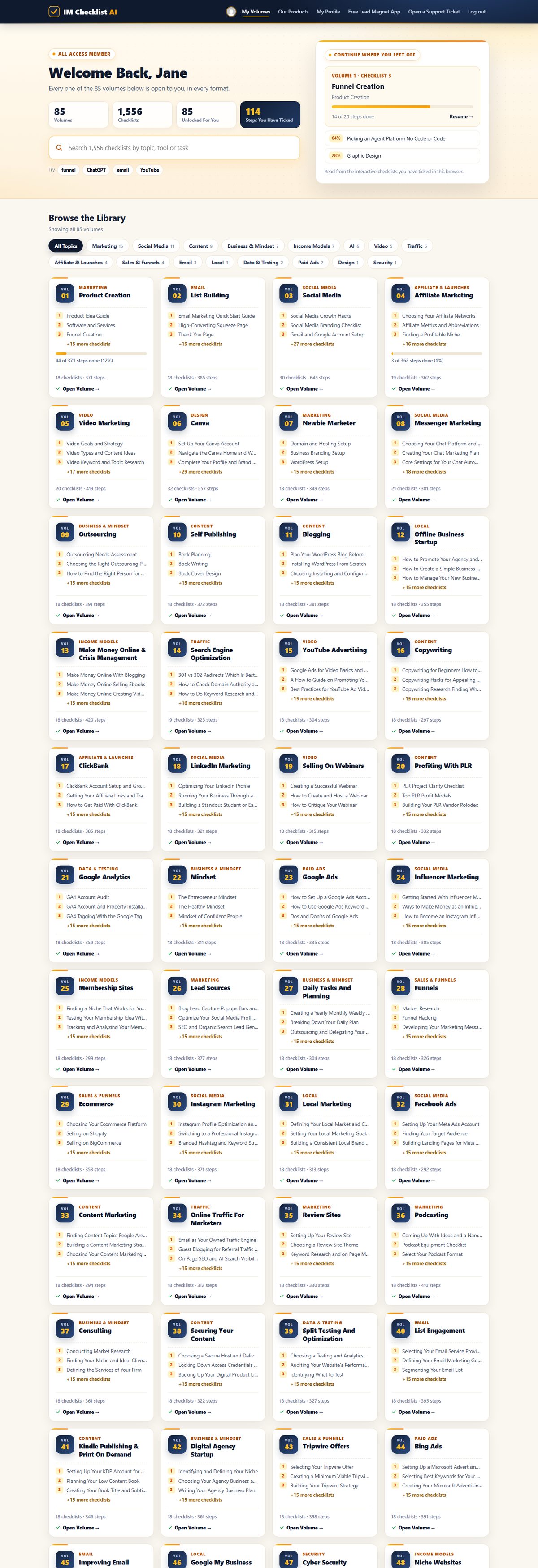
1,536 checklists, covering every marketing task worth doing, every one rewritten this year so it reflects how marketing actually works in 2026, AI workflows included. And it does not stop growing: a new volume lands every month, and it is already yours the day it does.
Checklists beat courses for one reason: there is nowhere to get lost. No forty-minute video to decode into three actual steps. Open it, follow it in order, tick the box, move to the next one.
And because every checklist ships with Full Private Label Rights, you are not just getting a process to follow. You are getting a finished product to sell. Rebrand it, resell it, give it away to grow your list, whatever you want. It is yours.
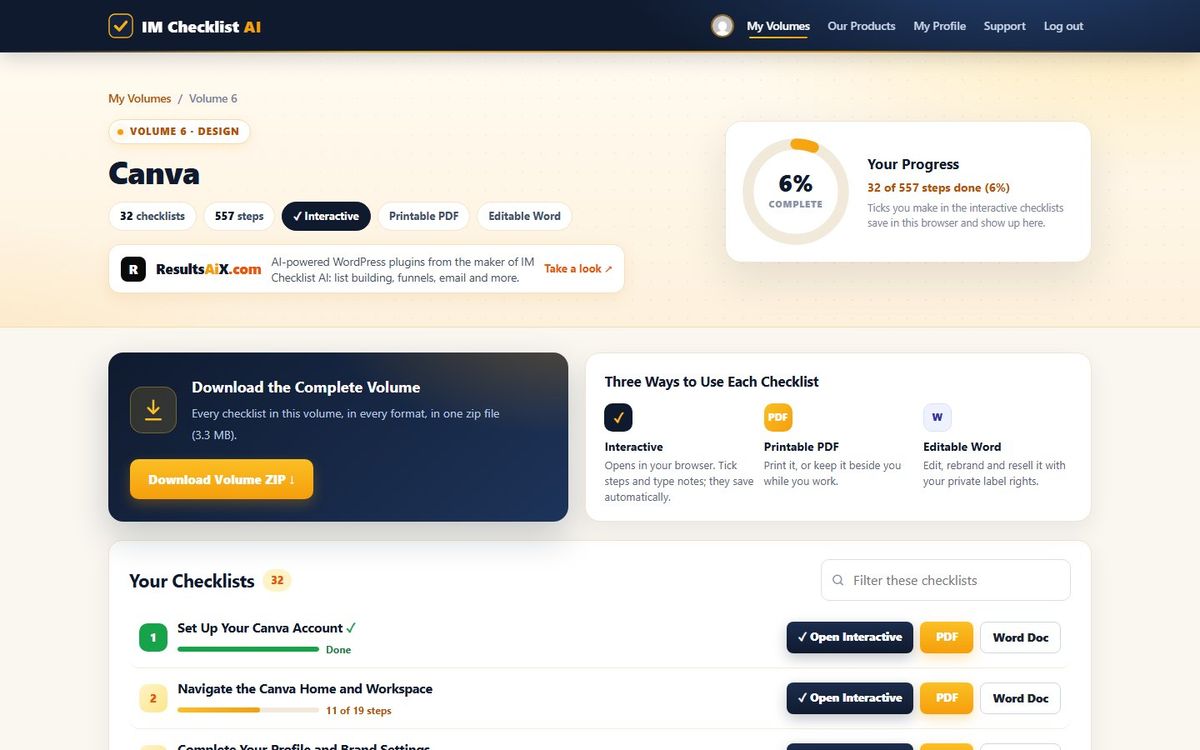
This page covers Volume 6: Canva. But your $3 trial does not stop at this one volume. It opens every single one of the 84, starting today.
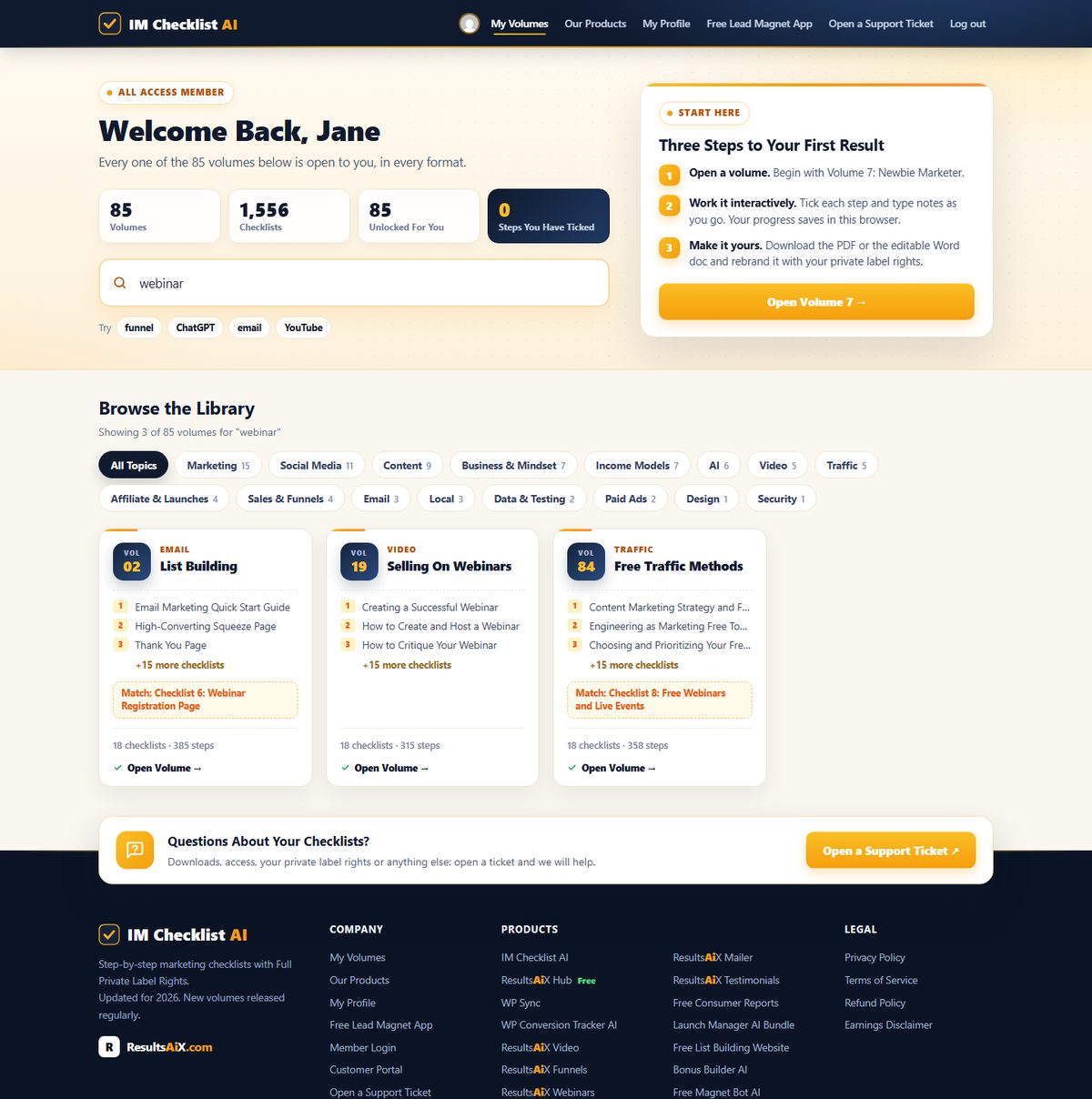
Not a checklist app. Not fifty bullet points with no context. A real, finished document you can start using in the next five minutes.
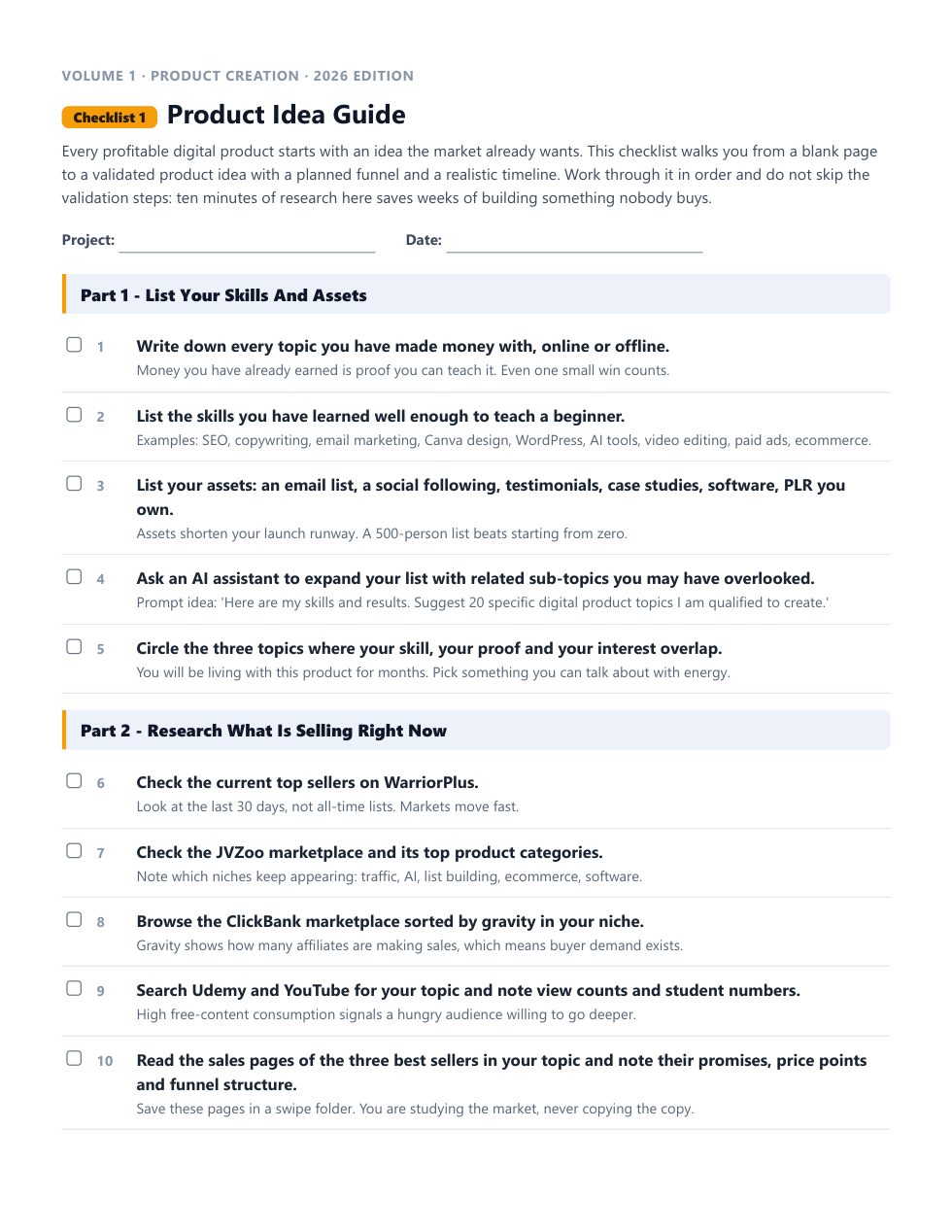
Print it, pin it above your desk, and physically tick each box as you go. Some processes stick better on paper.
This is where the PLR rights actually happen. Open the file, swap in your name, and it is yours to sell.
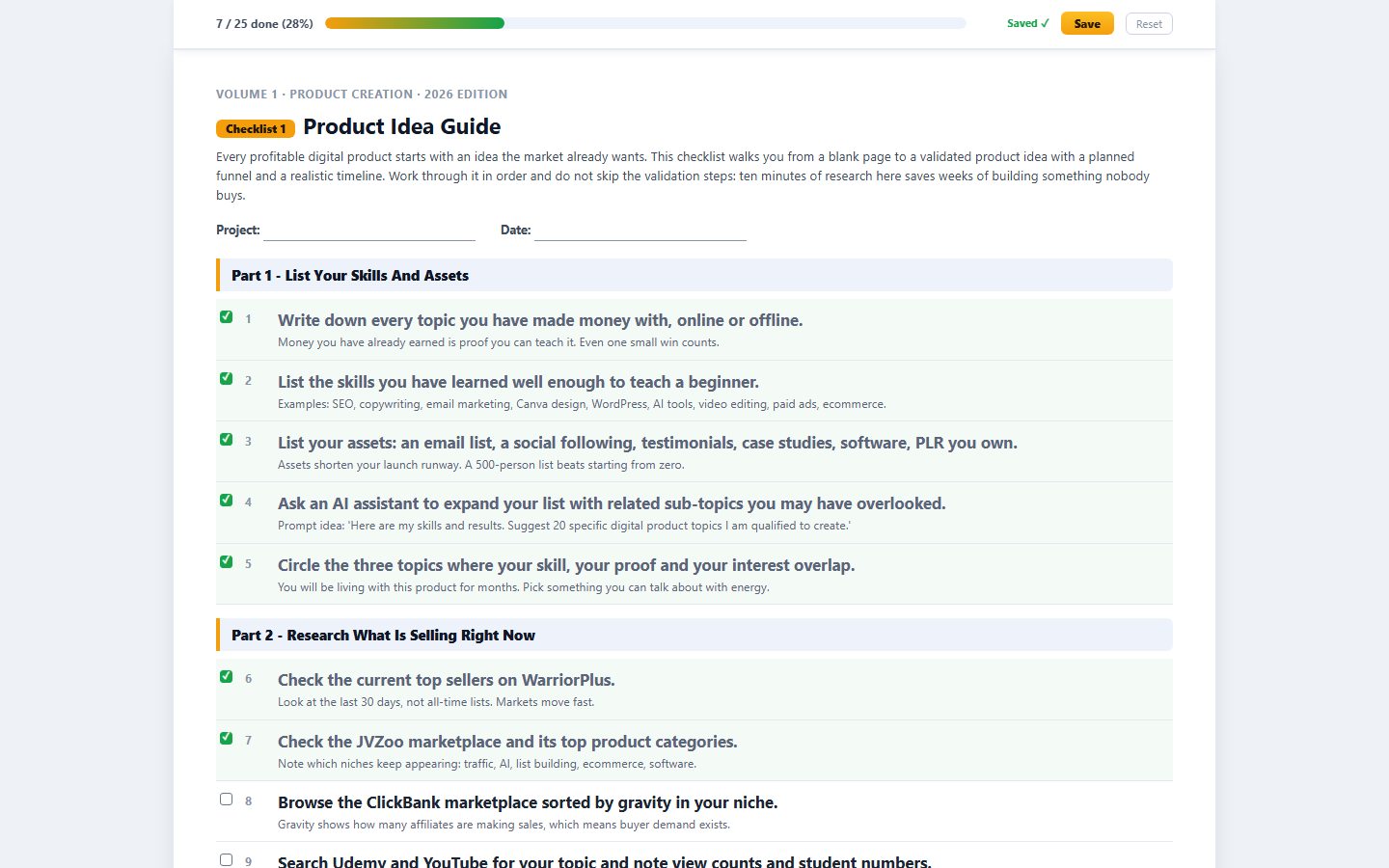
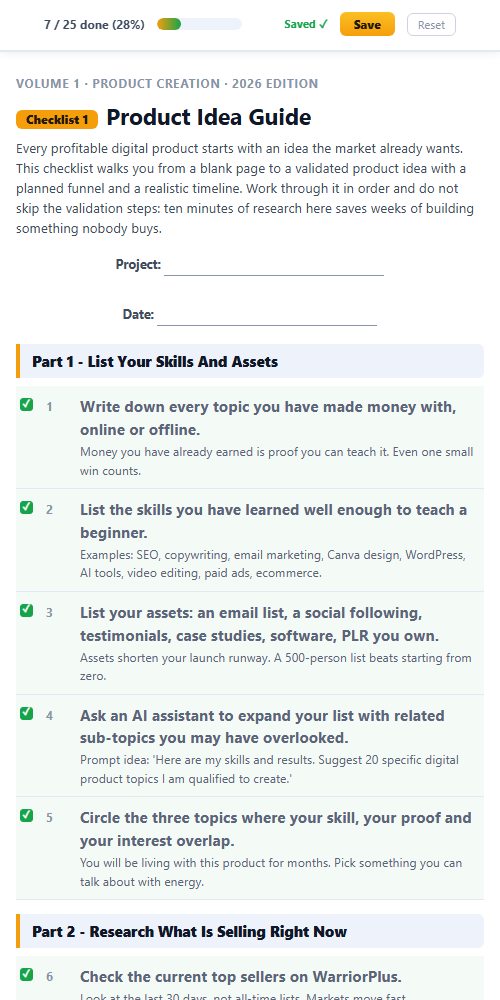
Tick boxes right in your browser and watch a progress bar fill up. No spreadsheet, no separate tracker, no losing your place.
Most products end where the download finishes. This one starts there. You do not just get to use these checklists. You get to own them.
List them as your own product tomorrow. Every dollar is yours, no split, no royalty.
Your name, your logo, your brand. Nobody sees IM Checklist anywhere.
You wrote these, as far as the law and your customers are concerned.
The fastest lead magnet you will ever "write." Trade it for an email address.
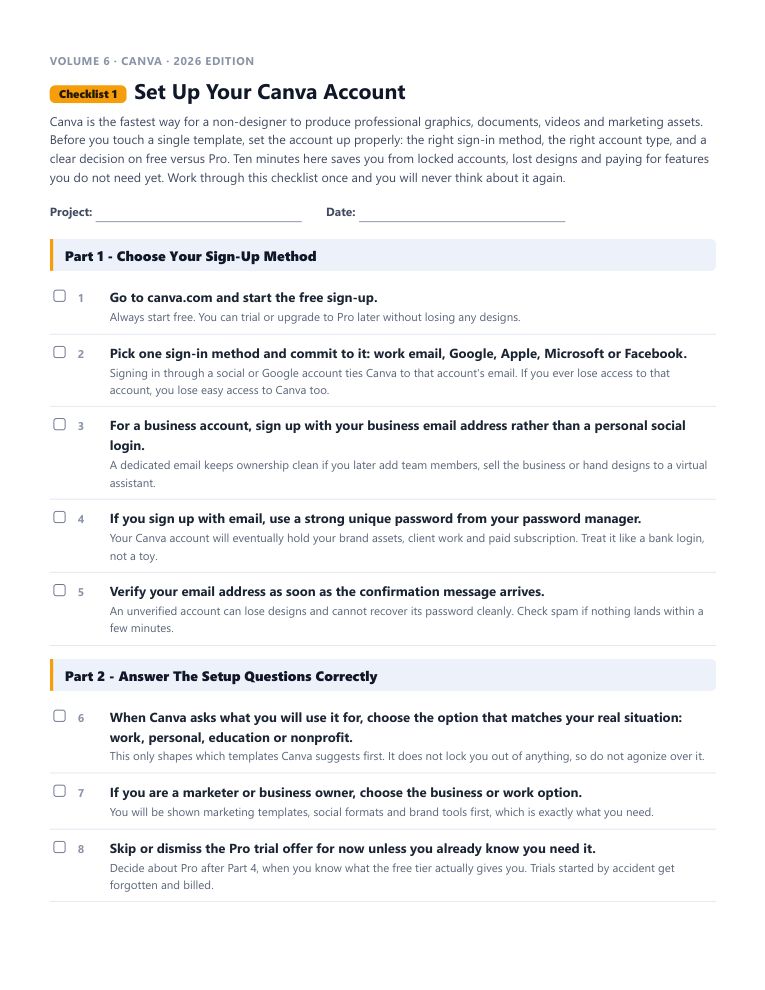
Every checklist is a real Word doc. Open it, change it, done in minutes.
One checklist becomes a blog post, an email, a video script, or a client deliverable.
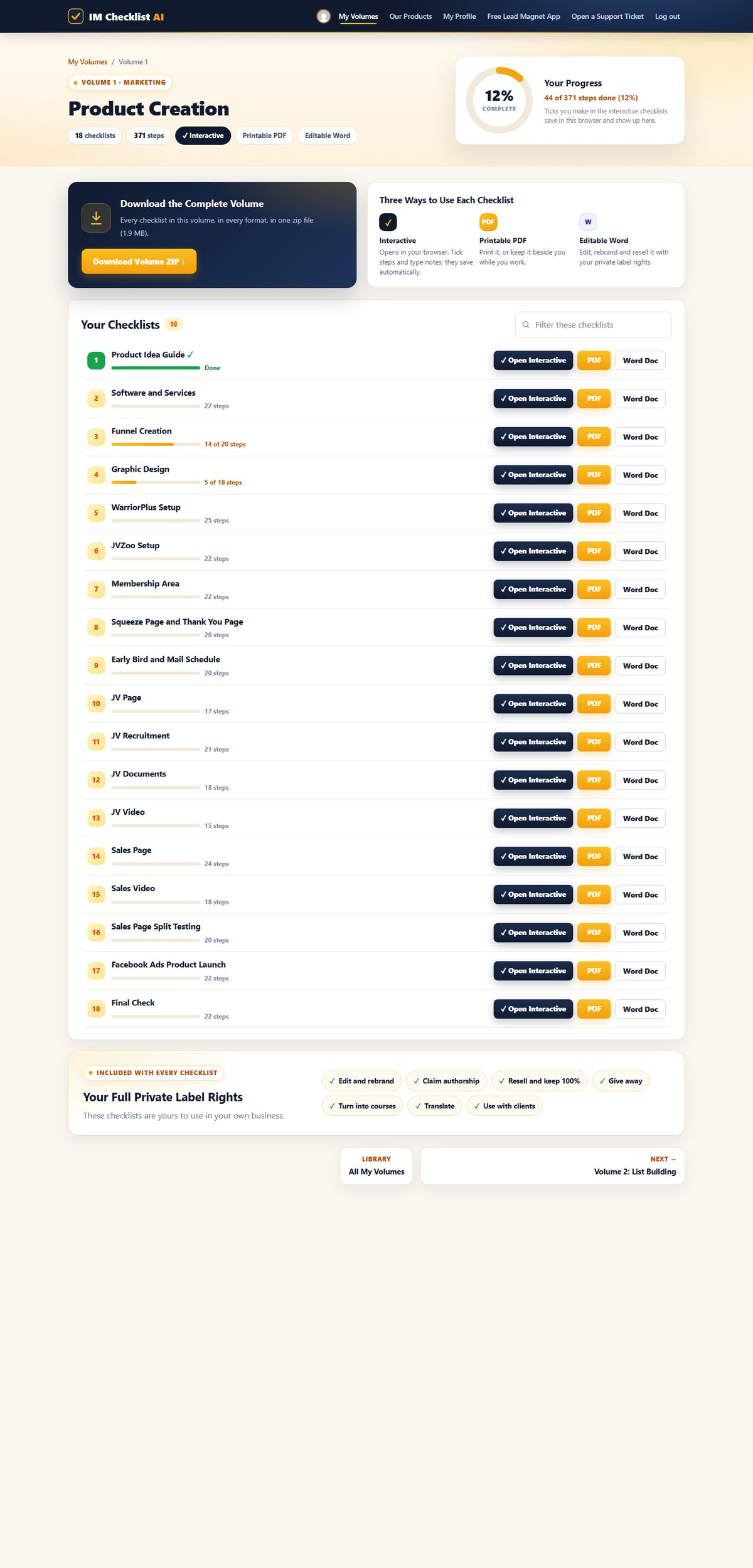
Each one is a complete, follow-along process. Open it, work through it, tick it off.
Canva is the fastest way for a non-designer to produce professional graphics, documents, videos and marketing assets. Before you touch a single template, set the account up properly: the right sign-in method, the right account type, and a clear decision on free versus Pro.
Canva's home screen is mission control: it is where you start designs, find old work, manage your brand and control your account. People who never learn it waste minutes on every single design hunting for files and re-creating things they already made.
Your Canva profile and brand settings quietly shape every design you make: the name teammates see, the logo one click away, the colors that keep your content recognizable.
The Canva editor is where all the work happens, and it rewards a one-time guided tour far more than random clicking. This checklist opens a practice design and walks every major tool group: templates, elements, text, uploads, brand, AI features and the top controls.
Grids are the fastest route from a blank canvas to a layout that looks deliberately designed. They hold multiple photos in perfect alignment, keep spacing consistent and make collages, mood boards and product showcases painless.
Frames clip any photo into a shape: a circle for a profile picture, a phone screen for an app shot, a laptop for a website preview, letters for a bold title effect.
Shapes and lines are the invisible skeleton of good design: they create panels for text, dividers between sections, buttons, badges and backgrounds.
Canva's element library holds millions of graphics: flat illustrations, icons, 3D objects, animated stickers and AI-generated art. Used well, they add personality and clarity; used badly, they turn a design into a clip-art collage.
Numbers persuade when people can see them. Canva's chart tools turn plain figures into bar, line, pie and progress graphics without a spreadsheet program or a designer, which makes them perfect for infographics, reports, presentations and social proof.
Seasonal graphics, hearts for Valentine's, leaves for autumn, snow for the holidays, are the quickest way to make your content feel timely and human.
Text carries the message, so text skills pay off more than any other Canva skill. This checklist covers the full text workflow: adding headings and body copy, styling them for hierarchy and readability, using text effects without wrecking legibility, and letting AI draft copy you then edit.
Font choice does more for how professional a design feels than any other single decision, and pairing two fonts well is a learnable skill, not a talent.
Canva has grown into a genuinely capable photo editor: filters and manual adjustments, one-click background removal, AI tools that erase objects or expand an image, cropping, flipping and format conversion.
Color is the first thing people perceive and the last thing most marketers plan. This checklist gives you a complete color workflow: extracting a palette from a photo or logo with Canva's color tools, understanding which roles each color plays, checking contrast for readability, and locking the result into your Brand Kit.
Canva saves everything automatically, but autosave is not organization. The marketers who move fast are the ones who can find any past design in ten seconds, duplicate proven work instead of rebuilding it, and recover from mistakes through version history.
Pinterest is a visual search engine, not a social network, and that makes it one of the few platforms where a graphic keeps sending traffic for months or years after you post it.
On X, formerly Twitter, a strong image is the difference between a post that scrolls past and one that stops thumbs. Text posts blur together; a branded graphic with a sharp headline claims real screen space and carries your message even when nobody reads the caption.
Quote graphics remain one of the most reliably shared content types on Facebook: they are instantly consumable, emotionally resonant and effortless to pass along.
Instagram rewards content that makes people feel something strongly enough to act: save it, share it, comment on it. For marketers, emotional connection is not decoration, it is the delivery mechanism for trust that later becomes sales.
Canva's presentation tools now cover the whole pipeline that used to need three programs: design the slides, present them live, record yourself over them, or export the deck as a video for YouTube and courses.
The final click of every design decides how good it looks in the wild: the wrong format blurs your text, breaks your links or prints your colors wrong.
A polished PDF lead magnet, an ebook, cheat sheet, checklist or guide, is still the workhorse of list building, and Canva's magazine and document templates turn plain text into something people are glad they traded an email for.
Beyond marketing graphics, Canva quietly replaces a print shop for the documents a business actually runs on: completion certificates for your courses, letterheads, proposals, newsletters and one-page handouts.
The cover sells the book, and in digital marketing the 'book' might be a Kindle title, a PDF lead magnet or a paid ebook. A strong cover does its work at thumbnail size on a crowded store page or sales page, which makes cover design a discipline of ruthless simplicity.
A full ebook, cover, contents, chapters, images and calls to action, is entirely buildable in Canva, and for visual, practical non-fiction it is often the best tool for the job.
Every blog post needs visual support: a featured image that earns the click, in-post graphics that break up text, and ideally an infographic that gets pinned and shared long after publication.
Print is not dead; it is uncrowded. A well-designed flyer at a local event or a brochure in the right hands often outperforms another post in a saturated feed, and Canva makes print design as accessible as social graphics.
Menus, gift vouchers, coupons and product labels are the quiet workhorses of local and product businesses, and they are a genuine service opportunity if you design for clients.
A logo and a business card are usually the first paid design work a new business commissions, which makes them both a foundation for your own brand and a sellable service.
On YouTube, the thumbnail decides whether a video lives or dies: it competes on the home page, in search and in suggested videos against everything else on the platform.
Every platform gives you one big billboard at the top of your profile, and most businesses waste it on a pretty picture. Covers and banners are prime conversion real estate: they can state your promise, promote your current offer and direct visitors to act.
Webinars, workshops, launches, meetups and celebrations all live or die on attendance, and attendance starts with the announcement. Canva's event templates cover the whole event paper trail: save-the-dates, invitations, announcement graphics, programs and thank-you cards, for both digital and physical events.
“IM Checklists allow you to get on with making money without the worry, fear and weight on your shoulders that you may have forgotten something. EVERYTHING is there in a clear and easy to consume format that can be checked off in seconds. A must have for all serious marketers.”
“These checklists have been a great asset in helping me set up my first launch, ensuring that I didn't miss any steps under tight time constraints. I highly recommend these checklists.”
“As a customer, just wanted to say thanks for creating IM Checklist. It's all in the worry of what I may forget. You have removed that fear. Many thanks.”
“The ability for someone to follow a proven method step by step like this is tantamount to their success with marketing.”
Checkout takes under a minute and your login is emailed to you instantly.
All 84 volumes are unlocked and waiting, in PDF and Word formats.
Work through each process step by step and watch the overwhelm disappear.
Work through the checklists for $3. If they are not worth more than that to you, tell support within 14 days and the refund is automatic. No form, no "please explain," no waiting on hold.
One membership unlocks every volume and every checklist we publish, always current, always growing.
Full access to all 84 volumes for 7 days, then $17.95 per month. Cancel anytime. Backed by a 14-day money back guarantee.
You pay $3 today and get full access to all 84 volumes for 7 days. After that it is $17.95 per month. Cancel anytime, including during the trial, and you are covered by a 14-day money back guarantee on top.
Exactly 1,536 step-by-step checklists across 84 volumes, as of today. New checklist volumes are released every month, and every one is included with your membership.
Anything. Edit them, rebrand them with your name and logo, claim authorship, resell them and keep 100 percent, give them away as lead magnets and bonuses, turn them into courses, webinars, blog posts and emails, translate them, and use them with clients.
Yes. The library is fully refreshed for 2026, updates are included with your membership, and new AI features are coming to the members area soon.
Three: printable PDFs, fully editable Word docs, and interactive online checklists with tickable boxes and a progress bar.
Instantly. Your login details arrive by email and your volumes are waiting in the members area at https://imchecklist.org.
Our support desk is one click away from every page in the members area, and replies come from a real human.
P.S. I skip to the end of long pages too, so here is the entire pitch in one breath:
$3 unlocks all 84 volumes of IM Checklist AI, 1,536 step-by-step checklists rewritten for 2026, in printable PDF, editable Word and interactive tick-box formats.
Every checklist ships with Full Private Label Rights. Rebrand it, resell it, give it away, build a product on it, whatever you want. It is yours the moment you download it.
Your trial runs 7 days at $3, then $17.95 a month, cancel whenever you like, and you have fourteen days for the guarantee to kick in if it is not what you expected.
That is the whole offer. No fine print hiding underneath it.
To your success,
Kevin Fahey
$3 gets you every one of the 1,536 checklists across all 84 volumes, starting today. Work through them for two full weeks. If they are not everything I just described, ask for a refund and you get every cent back, no argument.
Full access to all 84 volumes for 7 days, then $17.95 per month. Cancel anytime.